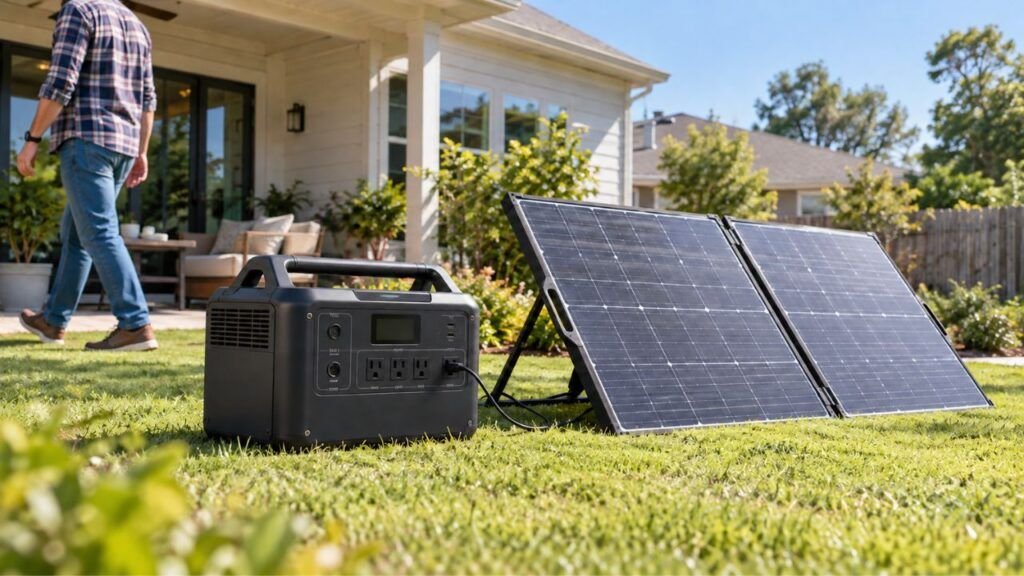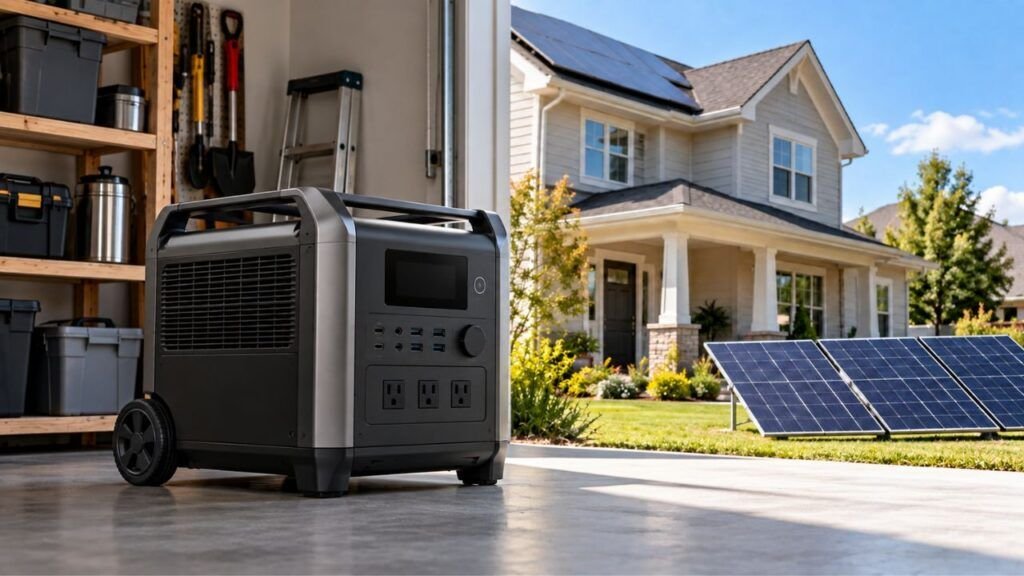
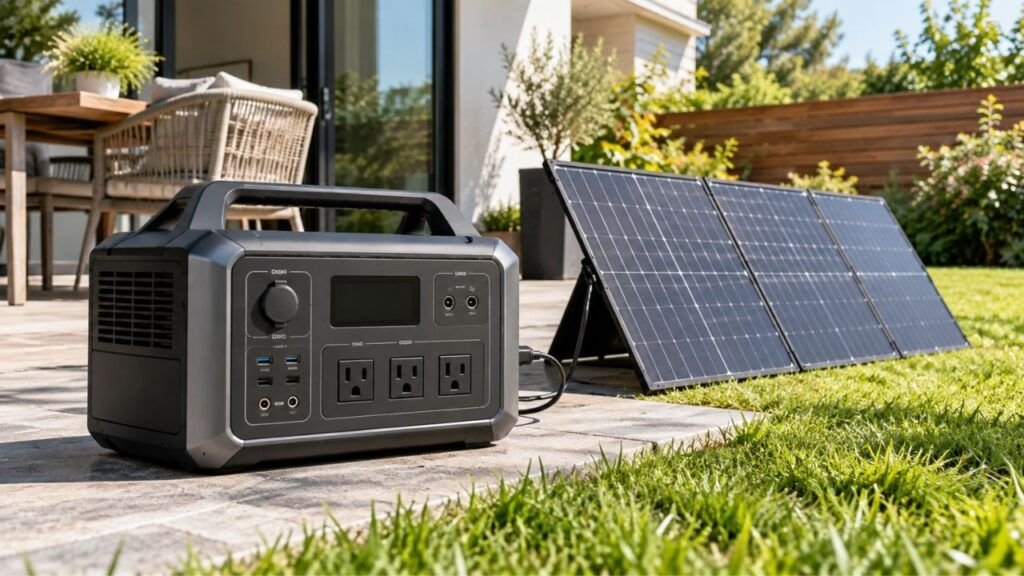
Your solar generator may run shorter than expected because rated battery capacity does not equal usable power. Inverter losses, higher appliance consumption, cold temperatures, battery settings, and aging can all reduce actual runtime.
In this guide, I’ll help you find what is draining your battery. We’ll calculate realistic runtime, test the system, and cover practical fixes.
Key Takeaways
- Rated battery capacity does not equal usable AC energy.
- Actual appliance wattage may exceed what you expected.
- The AC inverter uses some power while operating.
- Refrigerators and pumps have changing power demands.
- Cold weather can temporarily reduce available battery capacity.
- Battery settings may limit usable stored energy.
- Solar input must exceed consumption to recharge the battery.
- A controlled runtime test can reveal real battery problems.
How Much Shorter Runtime Is Normal for a Solar Generator?
Some difference between calculated and real runtime is completely normal. The simple runtime formula assumes nearly perfect operating conditions.
The basic calculation looks like this:
Runtime = Battery capacity in Wh ÷ Appliance watts
Suppose you have a 1,000Wh solar generator. You connect a steady 100W appliance.
The simple calculation gives you:
1,000Wh ÷ 100W = 10 hours
However, you probably will not get exactly ten hours. Some battery energy powers the inverter, fans, display, and electronics.
Energy is also lost when DC battery power becomes AC power.
A better planning formula looks like this:
Estimated runtime = Usable battery energy ÷ Average actual load
Some manufacturers use an efficiency factor in their runtime estimates. A rough example might use about 80% usable delivered energy.
That calculation would look like this:
1,000Wh × 0.80 ÷ 100W = about 8 hours
The exact efficiency varies between solar generators and operating conditions. Always treat these calculations as estimates rather than guarantees.
Why Is My Solar Generator Runtime Shorter Than Expected?
Short runtime usually comes from either the load or battery system. Sometimes several small efficiency losses combine into one noticeable difference.
Here are the main causes I would check first.
Your Appliances Are Using More Power Than You Expected
One of the easiest mistakes is trusting appliance wattage estimates.
An appliance may consume more power than its label suggests. Its consumption can also change while it operates.
For example, a refrigerator does not draw constant power. Its compressor repeatedly starts, runs, and stops throughout the day.
The same problem appears with:
- Freezers
- Well pumps
- Air conditioners
- Power tools
- Coffee makers
- Microwaves
- Variable-speed motors
Multiple appliances can also increase your total load unexpectedly.
Your solar generator’s display can help here. Check the output wattage while everything is operating normally.
A plug-in watt meter provides another useful measurement option.
The AC Inverter Is Using Battery Power Too
Your solar generator stores energy as DC electricity. Most household appliances need AC electricity instead.
The inverter handles that conversion.
However, the inverter itself needs power while operating. Conversion also creates some heat and electrical loss.
This matters more when your connected appliance uses very little power.
Imagine running a small router from a large power station. The router may use only a few watts.
The inverter still needs energy just to remain active.
That means inverter overhead becomes a larger part of total consumption.
There is no single inverter idle wattage for every generator. It can vary considerably between models and inverter sizes.
Your Appliance Has a Changing Load or Duty Cycle
Not every appliance runs continuously at one wattage.
A refrigerator provides a good example. Its compressor may run for several minutes, stop, then restart later.
Room temperature also affects this cycle.
Opening the refrigerator door frequently increases cooling demand. Adding warm food can also increase compressor operation.
This makes refrigerator runtime difficult to calculate using one wattage number.
The same issue applies to:
- Freezers
- Sump pumps
- Well pumps
- Air conditioners
- Furnaces
- Variable-speed fans
For these appliances, average energy consumption matters more.
Monitor them for several hours whenever possible. That gives you a much better estimate.
Startup Surges Are Increasing the Demand
Motors and compressors often need extra power during startup.
This is called starting wattage or surge wattage.
A refrigerator might use modest running power. However, its compressor can briefly demand much more during startup.
Startup surge mainly determines whether the inverter can start an appliance successfully.
It usually does not consume huge amounts of total energy alone.
However, repeated starts can make runtime calculations less predictable. Operating near the inverter’s limits can also increase system stress.
Check both running watts and starting watts when sizing loads.
Your Battery Was Not Actually Fully Charged
Your display may show a high percentage without ideal charging conditions.
This can happen when:
- Charging was interrupted.
- Solar charging stopped early.
- A charging limit is enabled.
- Battery protection settings restrict charging.
- The displayed percentage needs recalibration.
- An expansion battery has not balanced properly.
Check your app settings if your generator has one.
Some models let you limit maximum charge percentage. That can extend battery life during everyday use.
However, it also reduces available runtime during an outage.
Before testing battery capacity, make sure the unit reaches its intended full charge.
The Solar Generator Is Reserving Some Battery Capacity
Battery management systems protect lithium cells from damaging conditions.
Because of this protection, every advertised watt-hour may not become usable AC energy.
The system may maintain a small operating reserve. It may also stop discharging before cell voltage becomes unsafe.
That does not automatically mean something is wrong.
This protective behavior helps prevent excessive battery discharge.
Your settings can also affect the available capacity. Some generators allow users to select minimum discharge limits.
Check those settings before assuming the battery has failed.
Cold Temperatures Are Reducing Available Battery Energy
Lithium batteries generally perform differently in cold conditions.
When battery temperature drops, available energy may temporarily decrease. The battery can also deliver power less efficiently.
Your generator might therefore run noticeably shorter during winter.
Do not use one fixed percentage for every model. Battery chemistry and temperature management differ between manufacturers.
Keep the generator within its approved operating temperature range.
Avoid placing it directly on extremely cold surfaces when possible.
Never heat a battery using unsafe external heat sources.
Heat Is Increasing System Losses
Cold weather is not the only temperature problem.
Excessive heat can also reduce system efficiency.
A solar generator may warm considerably while powering heavy appliances. Its cooling fans then need additional energy.
Heat can become worse when the unit sits inside:
- A closed cabinet
- A hot vehicle
- A poorly ventilated garage
- Direct sunlight
- A confined storage area
Keep the cooling vents clear during operation.
Give the power station enough space for proper airflow.
The Battery Has Lost Capacity With Age and Use
Rechargeable batteries gradually lose capacity over time.
Lithium batteries can last for many charging cycles. However, they do not keep their original capacity forever.
A five-year-old battery may hold less energy than when new.
Heavy use, high temperatures, storage habits, and battery chemistry affect degradation.
Do not assume battery degradation after one disappointing runtime test.
Instead, compare repeated tests under similar conditions.
Use:
- The same appliance
- Similar room temperature
- Similar starting charge
- The same output mode
- Similar power settings
A consistent decline provides much stronger evidence.
The Battery Percentage May Be Wrong
The percentage on your display is an estimate.
The battery management system calculates the remaining state of charge. That estimate can occasionally drift.
You may notice symptoms such as:
- Percentage dropping suddenly
- Battery staying at one percentage unusually long
- Generator shutting down sooner than expected
- Percentage changing noticeably after restarting
This does not always mean the cells have lost capacity.
Your generator may need its battery gauge recalibrated.
Follow your specific manufacturer’s calibration instructions. Do not automatically drain every lithium power station to zero.
Different systems use different calibration procedures.
Quick Troubleshooting Table: Symptom, Likely Cause, and What to Check
The pattern you notice can point toward the real problem. Use this table before changing settings or replacing the battery.
| What You Notice | Possible Cause | What to Check First |
| Runtime is below simple calculations | Conversion and system losses | Calculate using usable battery energy |
| Small AC load drains battery quickly | Inverter overhead | Compare AC and DC operation |
| Refrigerator runtime varies greatly | Compressor duty cycle | Measure energy over several hours |
| Generator shuts down during appliance startup | Startup surge | Check appliance surge watts |
| Runtime becomes worse during winter | Cold battery | Check operating temperature |
| Percentage drops suddenly near empty | BMS estimate issue | Check calibration instructions |
| Runtime slowly declines over time | Battery aging | Perform controlled testing |
| Battery drains while solar panels are connected | Solar input below load | Compare input and output watts |
| Generator stops with charge remaining | Discharge reserve setting | Check battery settings |
| Runtime suddenly becomes much shorter | Load, battery, or system fault | Repeat a controlled test |
How to Calculate Your Solar Generator’s Realistic Runtime
A useful runtime estimate needs more than battery capacity. You also need the actual average load and expected system losses.
Here is how I recommend calculating it.
Step 1: Find the Battery Capacity in Watt-Hours
Look for the battery capacity listed in watt-hours.
You might see values such as:
- 512Wh
- 1,024Wh
- 2,048Wh
- 3,072Wh
Watt-hours describe how much energy the battery can store.
Do not confuse watt-hours with inverter watts.
A 2,000W inverter describes output capability. A 2,000Wh battery describes stored energy.
They measure different things.
Step 2: Find Your Actual Appliance Wattage
Next, determine how much power your appliance really uses.
Start with the power station’s display.
Many modern solar generators show live output wattage.
For plug-in appliances, a watt meter can provide more detailed measurements.
Actual measurements usually give better results than estimates.
Step 3: Account for Usable Capacity and Conversion Losses
Do not assume every rated watt-hour reaches your AC appliance.
A practical formula is:
Runtime = Battery Wh × Usable energy factor ÷ Average load watts
The best efficiency factor comes from your manufacturer’s documentation.
If that information is unavailable, treat any general efficiency percentage as approximate.
Different loads can also produce different efficiencies.
Step 4: Add the Generator’s Own Power Consumption
This step matters especially with small loads.
Your power station still runs internal electronics while providing power.
AC operation may require:
- Inverter electronics
- Display circuits
- Control boards
- Cooling fans
- Wireless connectivity
For a 1,000W appliance, these losses may look relatively small.
For a 10W appliance, they can matter much more.
Step 5: Use Average Consumption for Cycling Appliances
Do not calculate refrigerator runtime from one instant wattage reading.
Instead, measure consumption across several operating cycles.
The same principle applies to pumps and air conditioners.
Average energy use produces a much better runtime estimate.
Realistic Runtime Example: Why Simple Math Can Be Wrong
Suppose you own a solar generator with a 1,000Wh battery.
You connect a steady 100W appliance.
Simple math suggests:
1,000Wh ÷ 100W = 10 hours
Now assume your particular planning estimate uses an 80% usable energy factor.
The calculation becomes:
1,000Wh × 0.80 ÷ 100W = 8 hours
Your actual result could still differ.
Temperature, battery condition, inverter efficiency, and generator settings all matter.
That is why theoretical runtime should remain a planning estimate.
Why Low-Wattage Devices Can Sometimes Give Surprisingly Short Runtime
A small appliance does not always produce amazingly long AC runtime.
This often surprises new solar generator owners.
Suppose you leave the AC inverter running all night. You only connect a router and small modem.
Those devices may consume very little power themselves.
However, the inverter remains active the entire time.
Its own power consumption becomes a larger percentage of total energy use.
If your devices support USB-C or DC power directly, consider those outputs.
Direct DC operation can sometimes avoid unnecessary conversion losses.
The exact improvement depends on your generator and connected equipment.
Is Solar Charging Actually Extending Your Runtime?
Connecting a solar panel does not automatically stop battery discharge. What matters is the balance between incoming and outgoing power.
Check both figures on your generator’s display.
Your Solar Input Is Lower Than Your Appliance Load
Imagine your appliances are consuming 350W.
Your solar panels are currently producing only 150W.
The battery still needs to supply the remaining demand.
In this situation, solar power slows battery discharge. It does not completely stop it.
If solar input becomes higher than consumption, charging may begin.
System limits and conversion losses still apply.
Your Panels Are Not Producing Their Rated Wattage
A 400W solar panel does not constantly produce 400W.
Rated panel wattage comes from standardized testing conditions.
Real-world output changes because of:
- Clouds
- Shade
- Sun angle
- High panel temperature
- Dirt
- Haze
- Poor orientation
- Cable losses
- Solar input limits
Do not build your runtime plan around maximum panel wattage.
Use the input reading shown during actual operation.
Solar Production Changes Throughout the Day
Solar input normally rises and falls during daylight hours.
Morning production may be relatively low.
Output usually improves as sunlight becomes stronger and better aligned.
Production then falls again later in the afternoon.
Clouds can cause rapid changes throughout the day.
That means a 200W reading at noon does not guarantee six hours at 200W.
Look at total daily solar energy rather than one peak reading.
How to Test Whether Your Solar Generator Is Actually Losing Capacity
A controlled test can help separate normal efficiency loss from battery trouble. Keep the conditions as consistent as possible during testing.
Follow these steps:
- Charge the solar generator according to manufacturer instructions.
- Disconnect solar panels and other charging inputs.
- Choose one steady appliance with known power consumption.
- Check the appliance’s actual running wattage.
- Record the battery percentage before starting.
- Run only that appliance during the test.
- Avoid changing output modes while testing.
- Record how long the generator operates.
- Compare the result with a realistic runtime estimate.
- Repeat the test if the result looks unusually low.
Try to perform both tests at a similar room temperature.
Do not intentionally bypass battery protection systems.
You also should not repeatedly force deep discharges for testing.
If repeated results remain far below expectations, contact the manufacturer.
How to Make Your Solar Generator Run Longer
Most runtime improvements come from reducing unnecessary consumption. Small efficiency changes can add valuable backup time during long outages.
Try these practical steps:
- Turn off AC output when you do not need it.
- Use USB-C or DC ports for compatible devices.
- Disconnect chargers and appliances not being used.
- Avoid unnecessary electric heating appliances.
- Measure appliance wattage instead of guessing.
- Reduce the number of simultaneous loads.
- Keep ventilation openings clear.
- Avoid direct sunlight on the power station.
- Keep the battery within its recommended temperature range.
- Charge fully before an expected power outage.
- Check maximum charge limits in the app.
- Check minimum discharge limits before emergencies.
- Prioritize refrigerators, lights, communications, and medical essentials.
- Adjust portable solar panels as the sun moves.
- Clean dirty solar panels when needed.
- Install recommended firmware updates when appropriate.
During a long outage, load management often matters most.
Running everything together can empty even a large battery quickly.
When Short Runtime May Mean the Battery Has a Problem
Not every disappointing runtime result means the battery is damaged. Repeated problems under controlled conditions deserve closer attention.
Watch for these warning patterns.
Runtime Keeps Falling Under the Same Test Conditions
Perform the same test more than once.
Use the same appliance and similar temperature each time.
If operating time keeps decreasing significantly, capacity loss becomes more likely.
Battery aging is one possible explanation.
A battery management problem could also cause similar symptoms.
The Generator Shuts Down Much Earlier Than Before
A sudden shutdown needs more investigation.
Possible causes include:
- Low-voltage protection
- Cell imbalance
- Temperature protection
- Excessive load
- Battery degradation
- BMS faults
Check the display for warning codes before restarting heavy loads.
Battery Percentage Changes Abnormally
A battery percentage should generally change in a predictable way.
Large jumps may indicate inaccurate state-of-charge estimation.
For example, your battery might fall from 30% to 10% quickly.
Another possibility is unexpected shutdown while substantial charge remains displayed.
Follow the manufacturer’s battery calibration procedure first.
If the behavior continues, contact support.
The Generator Shows Battery or Temperature Errors
Do not ignore repeated battery warnings.
Protection systems exist to prevent unsafe operating conditions.
Stop using the unit if you notice unusual heat or physical battery damage.
Check the manual for the displayed error code.
Professional support is safer than repeated trial-and-error testing.
When Should You Contact the Manufacturer?
Most runtime problems can be explained through loads and efficiency. Some symptoms deserve direct manufacturer support.
Consider contacting support when:
- Runtime suddenly drops with the same appliance.
- Controlled runtime tests remain far below expectations.
- The generator shuts down with substantial charge remaining.
- Battery or BMS error messages keep returning.
- The unit becomes unusually hot during normal operation.
- The battery no longer charges normally.
- The casing appears swollen or physically damaged.
- You notice unusual odor, leakage, or internal noises.
Stop using a damaged lithium battery immediately.
Do not open the power station or attempt internal battery repairs yourself.
Final Words
A solar generator running shorter than simple math predicts is often normal. Inverter losses, internal electronics, and appliance behavior all consume stored energy.
Start by checking your actual appliance wattage and generator settings. Then look at temperature, solar input, AC inverter use, and battery percentage behavior.
If runtime remains unusually short during repeated controlled tests, investigate further. Consistent testing can help separate normal energy loss from genuine battery trouble.
Related FAQs
Why Does My Solar Generator Battery Drain So Fast?
Your battery may drain quickly because of high appliance loads, inverter consumption, cold temperatures, incomplete charging, or battery settings. Check your generator’s real-time input and output readings before assuming the battery itself is failing.
How Do I Calculate How Long My Solar Generator Will Run?
Divide usable battery energy in watt-hours by your average appliance wattage. Remember that usable energy is usually lower than the battery’s advertised capacity because the inverter and internal electronics also consume power.
Does a 1,000Wh Solar Generator Really Provide 1,000Wh?
A 1,000Wh rating describes the battery’s nominal stored energy. You normally receive less usable energy through AC outlets because of inverter conversion losses, system electronics, battery protection limits, and operating conditions.
Does Leaving the AC Inverter On Drain the Battery?
Yes. The AC inverter uses some battery power whenever it remains active. The exact amount varies between models, so low-wattage devices can sometimes experience more noticeable efficiency losses.
Why Does My Refrigerator Drain My Solar Generator So Fast?
Refrigerator compressors cycle on and off throughout the day. Door openings, room temperature, food temperature, compressor startup, and thermostat settings can all increase average energy consumption and shorten runtime.
Does Cold Weather Reduce Solar Generator Runtime?
Yes, cold temperatures can temporarily reduce lithium battery performance and available capacity. The exact effect depends on the battery chemistry, design, temperature, and built-in thermal management system.
Can Solar Panels Make My Generator Run Continuously?
Potentially, but solar production must provide enough daily energy to cover your appliances and system losses. Clouds, shade, panel angle, weather, and limited daylight can prevent continuous operation.
Is It Better to Use DC Instead of AC for Longer Runtime?
DC or USB-C can sometimes improve efficiency when your device supports those outputs. This avoids an unnecessary DC-to-AC conversion, though the actual runtime improvement depends on your equipment.
Why Does My Solar Generator Shut Off Before Reaching 0%?
The BMS may stop discharge to protect the battery from low voltage, temperature problems, or excessive load. A discharge reserve setting or inaccurate battery percentage can also cause early shutdown.
How Can I Tell if My Solar Generator Battery Is Going Bad?
Test it several times using the same steady load, full starting charge, and similar temperatures. If runtime consistently falls well below previous results, battery degradation or another internal problem may need professional diagnosis.

Blake Cooper writes practical guides on generators, portable power stations, and home backup systems. He focuses on simplifying power topics and helping homeowners make informed buying decisions.