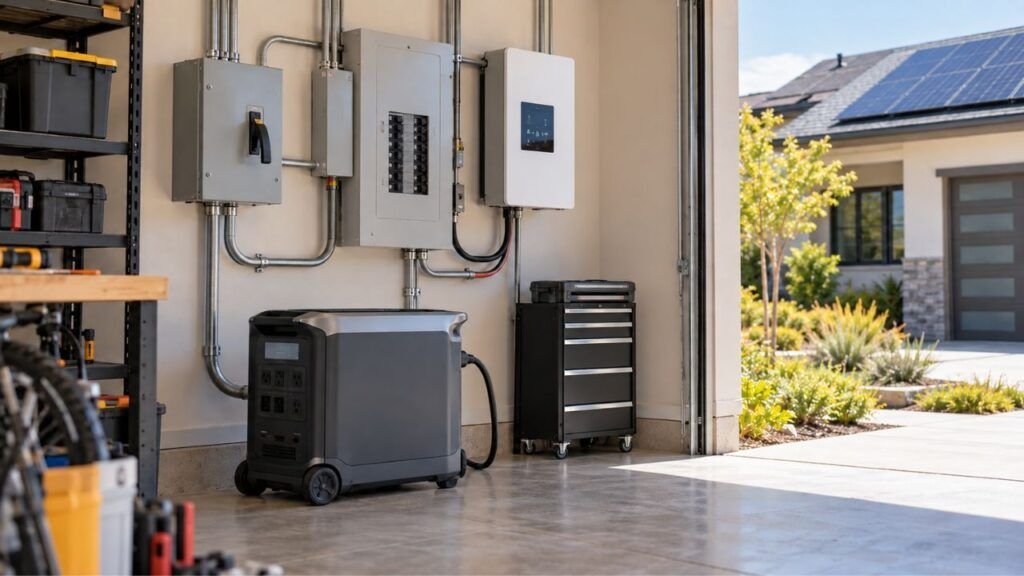
A transfer switch is usually better for simple, lower-cost home backup. A smart home panel offers more automation, monitoring, and load control. Both can safely connect compatible solar generators to household circuits, but they serve different needs.
In this guide, I’ll compare how each option works. We’ll also cover 120V and 240V support, installation, costs, compatibility, and backup runtime.
Key Takeaways
- A transfer switch safely changes selected circuits between utility and backup power.
- Smart home panels can add automatic switching and circuit-level energy management.
- Neither option increases your solar generator’s wattage or battery capacity.
- A smart panel cannot create 240V from a 120V-only power station.
- Transfer switches usually cost less and require fewer smart features.
- Smart panels make sense when automation and load prioritization matter.
- Compatibility should be checked before purchasing either system.
Transfer Switch vs Smart Home Panel: Quick Comparison
Both systems can become part of a safe home backup setup. However, the level of control is very different.
| Feature | Transfer Switch | Smart Home Panel |
| Main Purpose | Changes between utility and backup power | Manages backup power and home circuits |
| Operation | Manual or automatic | Often automated |
| Grid Isolation | Yes | Yes, with compatible equipment |
| Circuit Monitoring | Usually limited | Usually circuit-level |
| App Control | Usually no | Common |
| Load Prioritization | Mostly manual | Often programmable |
| Automatic Load Shedding | Usually no | Available on some systems |
| Backup Circuits | Usually predetermined | Can be dynamically managed |
| 120V Support | Depends on generator | Depends on system |
| 240V Support | Requires compatible 240V source | Requires compatible 240V source |
| Battery Management | Homeowner manages loads | Can manage loads automatically |
| Brand Flexibility | Often greater | Frequently ecosystem-specific |
| Installation Complexity | Low to moderate | Moderate to high |
| Typical Cost | Lower | Higher |
| Best For | Simple essential backup | Automated home backup |
Keep in mind that these features vary between manufacturers. Always check the exact equipment before planning your installation.
What Does a Transfer Switch Actually Do?
A transfer switch creates a safe connection between backup power and household circuits. Its most important job is preventing utility and backup power from feeding the same wiring simultaneously.
Manual Transfer Switch
A manual transfer switch requires someone to operate it.
When the utility fails, your home first loses electricity. You prepare your solar generator and connect it correctly. Then you operate the transfer switch to move selected circuits onto backup power.
This arrangement works well when outages are occasional. It also makes sense when someone is normally home.
You decide when backup power begins and ends.
When grid electricity returns, you move those circuits back. The process is simple once you know the correct procedure.
Automatic Transfer Switch
An automatic transfer switch can detect utility power loss automatically.
Compatible equipment can disconnect the home from utility power. It then transfers supported circuits to the backup source.
However, automatic transfer does not automatically mean intelligent load management.
An ATS mainly deals with changing power sources. A smart panel may perform that job while also controlling individual circuits.
Transfer behavior also varies between systems. Some change quickly, while others intentionally delay switching.
What a Transfer Switch Does Not Do
A transfer switch manages electrical routing, not power generation.
It normally does not:
- Increase your battery capacity.
- Increase your inverter’s continuous output.
- Increase surge output.
- Create 240V from a 120V generator.
- Monitor every individual circuit.
- Decide which appliances deserve battery power.
- Automatically extend battery runtime through load shedding.
Your solar generator still determines how much power is available.
What Does a Smart Home Panel Do?
A smart home panel adds another level of control. Instead of only changing power sources, it can manage how available energy reaches different circuits.
Circuit-Level Monitoring and Control
Many smart panels let you monitor individual circuit consumption.
You may see how much electricity your refrigerator uses. You can also check an air conditioner, pump, lights, or outlets.
That information becomes particularly useful during an outage.
Instead of guessing where your battery energy is going, you can identify the largest loads.
Some systems also let you switch supported circuits remotely.
Backup Priorities and Load Shedding
Load prioritization is one of the biggest smart-panel advantages.
You could assign priorities like these:
- Refrigerator: highest priority.
- Sump pump: highest priority.
- Furnace controls: high priority.
- Internet equipment: high priority.
- Essential lighting: high priority.
- Air conditioner: medium priority.
- Electric dryer: low priority.
- EV charger: lowest priority.
Imagine the battery level begins dropping overnight.
A compatible smart system may disconnect lower-priority loads automatically. Your refrigerator and sump pump can remain available longer.
That is very different from simply transferring several circuits onto battery power.
Automatic Backup When Supported
Some smart panels can detect a grid outage automatically.
A compatible system may isolate the house from the grid. The battery system then begins supplying approved backup circuits.
You may not need to walk downstairs and flip switches manually.
This can be particularly useful when nobody is home.
However, do not assume every smart electrical panel includes automatic transfer.
Some systems rely on separate gateways or transfer hardware. Others only provide certain smart functions with specific batteries.
What a Smart Panel Cannot Do
Smart controls cannot overcome physical limits.
A smart panel cannot:
- Turn a 3,600W inverter into a 7,200W inverter.
- Add watt-hours to the battery.
- Create proper 240V split-phase power from 120V.
- Make an incompatible power station compatible.
- Eliminate motor startup requirements.
- Guarantee uninterrupted power to every appliance.
- Keep loads running after usable battery energy is gone.
Think of the panel as a power manager.
The solar generator remains the actual energy source.
The Biggest Difference Is Transfer vs Load Management
This distinction makes the entire comparison easier.
A traditional transfer switch mainly answers one question:
Which source should power these circuits?
During normal operation, the answer is utility electricity. During an outage, the answer becomes your backup source.
A smart home panel can answer another question:
Which circuits should receive the limited backup power available?
That matters when your battery cannot support everything simultaneously.
Suppose your solar generator can provide 7,200W. Your connected household loads could easily exceed that amount.
A smart load-management system may temporarily disable unnecessary circuits. It can preserve capacity for your most important appliances.
With a basic transfer setup, you usually manage those decisions yourself.
Some advanced systems combine transfer and load management together. That is why product compatibility matters more than terminology.
What Happens During a Power Outage?
The day-to-day difference becomes easiest to understand during an actual blackout. Let’s look at what you could experience with each setup.
With a Manual Transfer Switch
A typical manual sequence looks something like this:
- Utility power fails.
- Your house loses electricity.
- You prepare the solar generator.
- You connect the approved backup connection.
- You operate the transfer equipment.
- Selected circuits receive backup power.
- You manually control unnecessary loads.
- Utility power eventually returns.
- You transfer back to grid power.
The exact sequence depends on your installed equipment.
The important point is that someone needs to take action.
With a Compatible Smart Home Panel
A compatible automatic system can work differently:
- Utility electricity fails.
- The system detects the outage.
- Utility power becomes isolated.
- The battery system begins supplying backup power.
- Essential circuits remain available.
- Lower-priority circuits may be restricted.
- Loads can change as battery charge drops.
- Grid electricity returns.
- The system transfers back when conditions are appropriate.
This requires a correctly designed combination of equipment.
Do not assume every battery and smart panel can communicate together.
Does a Smart Home Panel Make Your Solar Generator Last Longer?
A smart panel can potentially extend useful backup runtime. However, it does not increase your actual battery capacity.
Suppose you have a 5kWh battery.
Installing a smart panel does not turn it into 7kWh. You still have the same stored energy.
The difference comes from controlling consumption.
Imagine your essential loads average 600W. Meanwhile, unnecessary household loads add another 700W.
If those unnecessary loads remain active, battery energy disappears much faster.
A smart panel may disconnect those lower-priority circuits automatically.
That leaves more stored energy for refrigeration, lighting, communication, and pumps.
Manual load management can achieve something similar. You simply have to make those decisions yourself.
This is where smart panels provide convenience rather than extra energy.
Transfer Switch vs Smart Panel for 120V and 240V Solar Generators
Voltage compatibility deserves attention before choosing any panel equipment. Many homeowners focus on battery size first and forget voltage completely.
Using a 120V Solar Generator
Many portable solar generators provide standard 120V AC output.
That can work well for appliances such as:
- Refrigerators.
- Freezers.
- Lights.
- Television.
- Internet equipment.
- Gas furnace controls.
- Small kitchen appliances.
A properly designed transfer setup may let that power station supply selected 120V household circuits.
However, a 120V-only source cannot directly power true 240V appliances.
Using a 120V/240V Split-Phase Solar Generator
Larger home-backup power stations increasingly support 120V and 240V operation.
A compatible system may support equipment such as:
- Well pumps.
- Central air conditioners.
- Heat pumps.
- Electric water heaters.
- Electric ranges.
- Some clothes dryers.
However, the solar generator still needs enough output.
Having 240V available does not automatically mean your battery can run every 240V appliance.
Starting surge also matters.
A large compressor can briefly demand much more power while starting.
The Panel Cannot Create Missing Voltage
This point is worth remembering.
A transfer switch does not convert a 120V generator into 240V.
A smart home panel does not do that either.
An adapter also cannot create proper split-phase capability when the inverter does not provide it.
If your backup plan includes 240V appliances, choose a compatible 120/240V solar generator first.
Then design the transfer equipment around it.
Essential-Circuit Backup vs Whole-Home-Connected Backup
Another important decision is how much household wiring you want connected. You do not necessarily need every circuit available during an outage.
Essential-Circuit Backup
This is usually the simplest approach.
You select only the circuits that genuinely matter.
They might include:
- Refrigerator.
- Freezer.
- Sump pump.
- Gas furnace.
- Selected lights.
- Wi-Fi equipment.
- Bedroom outlets.
- Garage door opener.
A transfer switch works very well for this style of backup.
You know exactly which circuits receive power. Everything else remains disconnected.
That makes load planning easier.
Whole-Home-Connected Backup
“Whole-home connected” can sound misleading.
It does not necessarily mean every appliance runs simultaneously.
Instead, more household circuits may be physically available to the backup system.
A smart panel can then decide which circuits operate.
You might have twenty circuits available while only ten remain active.
This gives you flexibility without requiring enough inverter power for everything at once.
Large Loads Change the Decision
Large electrical loads make backup design more complicated.
Examples include:
- Central air conditioning.
- Heat pumps.
- Electric water heaters.
- Clothes dryers.
- Electric ranges.
- Well pumps.
- EV chargers.
These appliances can consume thousands of watts.
Some also have high starting requirements.
If your home contains several large electrical loads, smart load management becomes more useful.
However, proper solar-generator sizing remains essential.
Compatibility Matters More Than the Feature List
A smart-looking panel is useless if it cannot communicate with your backup system. Check the entire system before purchasing anything.
Verify:
- Exact solar generator model.
- 120V or 120/240V capability.
- Continuous inverter output.
- Surge capability.
- Backup output connection.
- Supported cables and connectors.
- Transfer equipment compatibility.
- Number of supported circuits.
- Circuit amperage limitations.
- Battery expansion support.
- Required accessories.
- Existing panel compatibility.
- Manufacturer-approved installation methods.
Pay particular attention to proprietary systems.
Some smart transfer products are designed specifically for one manufacturer’s batteries.
That integration can work very well.
It also means switching brands later might become difficult.
Brand Lock-In: One of the Biggest Smart Panel Tradeoffs
A traditional transfer arrangement can sometimes offer more equipment flexibility.
You may be able to change your backup power source later. The electrician still needs to verify compatibility, of course.
Smart systems can be different.
Circuit monitoring, automatic load control, battery communication, and mobile apps may depend on proprietary hardware.
That creates an ecosystem.
The ecosystem can provide a better user experience. Everything communicates through one system.
However, think several years ahead.
Ask yourself what happens if you:
- Add another battery.
- Replace your power station.
- Change manufacturers.
- Expand rooftop solar.
- Add an EV charger.
- Replace your HVAC equipment.
- Remodel your electrical system.
A cheaper system today is not always cheaper long term.
The same is true for an expensive smart panel.
Choose around your future backup plan, not today’s feature list alone.
Manual Control vs Automatic Load Management
Both approaches can protect your battery from overload. They simply require different levels of homeowner involvement.
Manual Load Management
Manual management is straightforward.
You decide which appliances remain active.
If your solar generator approaches its output limit, you switch something off.
For example, you might stop using the microwave while the sump pump operates.
You could also leave your electric dryer completely off during outages.
This method works well when you understand your loads.
It also costs less because sophisticated controls are unnecessary.
Automatic Load Management
Automatic systems can make these decisions for you.
A smart panel may monitor current demand continuously.
When consumption approaches the inverter limit, it can shed a lower-priority circuit.
Once capacity becomes available, certain loads may return.
That reduces the chance of someone accidentally overloading the backup source.
It also helps when you are away from home.
Why Motor Loads Need Special Attention
Motors and compressors can create large startup surges.
Your refrigerator is one example.
Other examples include:
- Well pumps.
- Sump pumps.
- Air conditioners.
- Heat pumps.
- Freezers.
A motor might consume moderate power while running. Starting it can temporarily require much more.
Smart controls cannot fix an undersized inverter.
Your solar generator must handle that startup demand first.
Transfer Speed: Is a Smart Panel Really Seamless?
Do not assume every automatic system switches instantly.
Transfer time varies between products and operating modes.
The system might need to:
- Detect utility failure.
- Confirm the outage.
- Isolate utility power.
- Activate the battery inverter.
- Confirm stable backup voltage.
- Transfer supported loads.
Some battery systems can switch quickly enough that certain electronics barely notice.
Others produce a more obvious interruption.
UPS features can also complicate the comparison.
A power station may provide fast UPS switching for devices plugged directly into its outlets.
That does not automatically mean your entire electrical panel receives the same transfer speed.
If seamless operation matters, verify the exact specification.
Do this especially for computers, networking equipment, security systems, and medical devices.
What Happens If Wi-Fi or the App Goes Down?
This is easy to overlook when shopping.
You should not assume your home backup disappears because internet service stops.
Well-designed systems normally perform critical electrical functions locally.
However, some remote controls and monitoring features may become unavailable.
For example, you might temporarily lose:
- Remote circuit control.
- Cloud monitoring.
- Push notifications.
- Energy-history information.
- Remote configuration changes.
Local backup functions may continue normally.
The exact behavior varies between systems.
Ask how the equipment operates without internet access.
Also ask whether important settings remain stored locally.
You should understand how to control the system manually if needed.
Can Either Option Work With Existing Rooftop Solar?
Rooftop solar adds another layer to the backup system. It does not automatically mean your house has usable power during an outage.
Solar Panels Alone During an Outage
Many traditional grid-tied solar installations shut down when utility power fails.
That protects utility workers and electrical equipment.
So having solar panels on the roof does not guarantee backup electricity.
Solar Plus Battery Backup
A properly designed solar-plus-storage system can operate differently.
Compatible equipment can isolate the home from the utility grid.
The battery and solar system may then serve supported household loads.
Solar energy can also replenish the battery during longer outages.
That can dramatically improve backup endurance during sunny conditions.
Portable Solar Generator Plus Rooftop Solar
Do not assume your rooftop array can charge a portable solar generator directly.
The two systems may use completely different voltages, inverters, connectors, and control methods.
Your portable solar generator might instead use dedicated portable panels.
Some advanced systems offer approved home-solar integration.
If rooftop solar already exists, tell your installer before designing backup power.
Transfer Switch vs Smart Home Panel Cost
A transfer switch normally costs less overall. A smart home panel requires more hardware, configuration, and installation work.
Transfer Switch Costs to Consider
Do not compare only the switch price.
Your completed installation may include:
- Transfer equipment.
- Generator or battery inlet.
- Compatible connection cable.
- Breakers.
- Wiring.
- Electrician labor.
- Permits.
- Inspection.
- Circuit labeling.
- Panel modifications.
A simple installation can remain relatively straightforward.
Older or crowded electrical panels may require additional work.
Smart Panel Costs to Consider
A smart setup may include considerably more equipment.
Potential expenses include:
- Smart electrical panel.
- Smart transfer hardware.
- Compatible gateway.
- Battery communication hardware.
- Current sensors.
- Additional breakers.
- Professional installation.
- System commissioning.
- Permits.
- Inspection.
- Electrical service modifications.
You may also need proprietary accessories.
Compare Installed Systems, Not Box Prices
Two homeowners can buy the same equipment and receive very different installation quotes.
Existing wiring matters.
Panel condition matters.
Equipment location matters.
Cable routing matters.
Local permit requirements matter.
I would compare the complete installed system rather than retail prices.
That gives you a much clearer cost comparison.
Reliability: Simplicity vs More Automation
Both approaches can be dependable when installed correctly. The difference is how much complexity you want in the system.
Why Transfer Switches Appeal to Some Homeowners
Traditional transfer equipment is relatively straightforward.
There are fewer smart functions to configure.
You can easily understand which circuits receive backup power.
That simplicity appeals to homeowners who only need essential backup.
It can also make troubleshooting easier.
Why Smart Panels Appeal to Others
A smart panel provides visibility.
Instead of wondering why battery charge is falling quickly, you can see which circuits are consuming energy.
You can also adjust priorities without walking around the house switching appliances off.
Automatic systems become especially helpful when nobody is home.
More Features Also Mean More Dependencies
More functionality creates more system dependencies.
Your setup may rely on:
- Sensors.
- Software.
- Firmware.
- Communications.
- Battery compatibility.
- Mobile apps.
- Manufacturer support.
That does not mean smart panels are unreliable.
It simply means you should understand the entire ecosystem before investing.
Safety, NEC, Listings, and Professional Installation
Connecting backup power to household wiring is very different from plugging a refrigerator directly into a power station. This work needs proper transfer and protection equipment.
Important safety points include:
- Utility and backup power must remain properly isolated.
- Never backfeed electricity through a normal wall outlet.
- Never use improvised male-to-male generator cords.
- Use equipment intended for the specific installation.
- Follow manufacturer instructions for all system components.
- Grounding and neutral arrangements must be evaluated correctly.
- Required electrical protection must remain functional.
- Local permit requirements can vary.
- Electrical inspections may be required.
- Panel-connected systems should use qualified electrical professionals.
The goal is not simply keeping lights on.
The installation also needs to protect your household and utility workers.
Is a Generator Interlock a Third Option?
Yes. A properly designed panel interlock can be another home-backup option.
An interlock mechanically prevents the utility main breaker and backup breaker from being on together.
Instead of moving selected circuits into a dedicated transfer panel, you may use circuits already inside the main electrical panel.
You then decide which breakers stay on.
That can provide more circuit flexibility than some selected-load transfer panels.
However, it also places more load-management responsibility on you.
You must avoid turning on more appliances than the solar generator can support.
Interlocks also need to match the exact electrical panel.
They are not universal accessories.
Your electrician can determine whether one is appropriate for your installation.
When a Transfer Switch Makes More Sense
A transfer switch may fit your home better when you want straightforward backup without advanced energy management.
Consider one if:
- You only need essential circuits during outages.
- Power failures are relatively occasional.
- Someone is normally home.
- Manual operation does not bother you.
- You do not need circuit-level monitoring.
- Your solar generator comfortably handles selected loads.
- You want fewer smart features.
- You prefer a lower installation cost.
- Future brand flexibility matters to you.
- You are comfortable managing loads manually.
For many homes, this is all the backup integration needed.
When a Smart Home Panel Makes More Sense
A smart home panel becomes more valuable as your backup system becomes larger and more complicated.
Consider one if:
- You want automatic outage response.
- You travel frequently.
- Nobody may be home during an outage.
- You want circuit-by-circuit energy monitoring.
- You want remote load control.
- You have several large electrical appliances.
- Battery runtime needs active management.
- You want automatic load shedding.
- You plan to expand battery storage later.
- You want deeper energy-management features.
- You prefer one integrated battery ecosystem.
You are mainly paying for control and automation.
For the right household, those features can be extremely useful.
Questions to Ask Your Electrician Before Choosing
You do not need to become an electrician yourself. You simply need to ask the right questions before spending money.
Ask:
- Can my exact solar generator support these circuits?
- Which appliances require 240V?
- Can the inverter handle their startup surge?
- Which transfer equipment works with this power station?
- How many circuits can receive backup power?
- Which loads should receive priority?
- What happens when the battery reaches a low charge?
- Does automatic backup work without internet service?
- Can the system work when I am away?
- Can I add more batteries later?
- Will changing battery brands require replacing hardware?
- Can my existing rooftop solar participate during outages?
- Does my electrical panel need upgrading?
- How will grounding and neutral connections be handled?
- What permits and inspections are required?
Bring your solar generator model number with you.
Also make a list of the appliances you truly need.
That makes the electrician’s recommendations much more useful.
Transfer Switch vs Smart Home Panel: Which Should You Choose?
For a straightforward home backup system, I would keep things simple. If you only need several essential circuits, a compatible transfer switch can do the job without adding unnecessary complexity.
A smart home panel makes more sense when managing loads becomes important. It can provide automatic switching, circuit-level visibility, remote controls, and intelligent load prioritization when supported by the system.
However, choose your solar generator before becoming attached to panel features. Check voltage, continuous output, surge capacity, battery capacity, and supported connections first.
Once those fundamentals are correct, deciding between simple transfer and smart management becomes much easier.
Final Words
The best backup setup is not necessarily the smartest one. It is the system that reliably powers what your household actually needs.
Start by listing your essential appliances and circuits. Then determine their voltage, starting power, running power, and expected runtime.
After that, decide how much automation you want. A transfer switch keeps the system straightforward, while a smart home panel gives you much more control over limited stored energy.
Related FAQs
Is a Smart Home Panel the Same as a Transfer Switch?
No. A transfer switch primarily changes circuits between utility and backup power. A smart home panel can add monitoring, circuit control, load prioritization, and other energy-management features.
Do I Need a Transfer Switch With a Solar Generator?
Not when powering appliances directly from the solar generator’s outlets. However, connecting backup power to household wiring requires an approved method that safely isolates your home from utility power.
Can a Smart Home Panel Work With Any Solar Generator?
No. Many smart panels and transfer systems require specific batteries, gateways, connectors, or communication protocols. Always verify compatibility with your exact solar generator.
Can an Automatic Transfer Switch Replace a Smart Home Panel?
It can provide automatic source switching, but it may not provide circuit-level monitoring, automatic load shedding, scheduling, or advanced energy management.
Can a Smart Panel Make My Battery Last Longer?
It can extend useful runtime by disconnecting unnecessary loads. However, it does not increase your battery’s actual watt-hour capacity.
Can a Smart Home Panel Run 240V Appliances?
Only when the backup power system can provide proper 120/240V split-phase output and enough power for those appliances. The panel itself cannot create missing voltage.
Can a Transfer Switch Work With a 240V Solar Generator?
Yes, when the transfer equipment, wiring, connections, and solar generator are designed for the same voltage and electrical configuration.
Will a Smart Home Panel Still Work Without Wi-Fi?
Critical backup functions may continue locally on many systems, while remote monitoring and app controls may become unavailable. Exact offline behavior depends on the manufacturer.
Can I Connect EcoFlow, Jackery, or BLUETTI to Any Smart Panel?
Not automatically. These systems may require approved transfer equipment, gateways, accessories, or specific electrical configurations. Check compatibility before purchasing anything.
Can Either System Power My Whole House?
Potentially, but the solar generator still limits available power. Even a whole-home-connected system may need load management to prevent several large appliances from operating simultaneously.
Can I Use an Existing Generator Transfer Switch With a Solar Generator?
Possibly. An electrician should verify voltage, current limits, connectors, grounding, neutral configuration, and manufacturer requirements before reusing existing equipment.
Do I Need an Electrician to Install a Smart Home Panel?
Yes, for a panel-connected residential system, professional installation is the appropriate approach. The work involves household electrical service, transfer equipment, circuit protection, grounding, and local code requirements.

Blake Cooper writes practical guides on generators, portable power stations, and home backup systems. He focuses on simplifying power topics and helping homeowners make informed buying decisions.